Configure automated alerts for process monitoring. They help you proactively respond to operational issues.
Alerts can be generated when Watchpoints cross:
Control values
Threshold values
Both control and threshold values
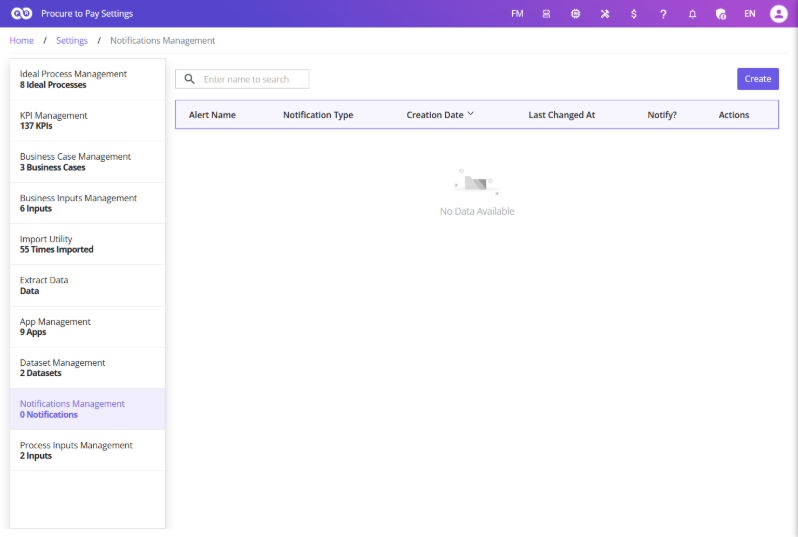
Navigating to Notification Management
To access Notification Management:
Open Process Settings.
Click Notification Management.
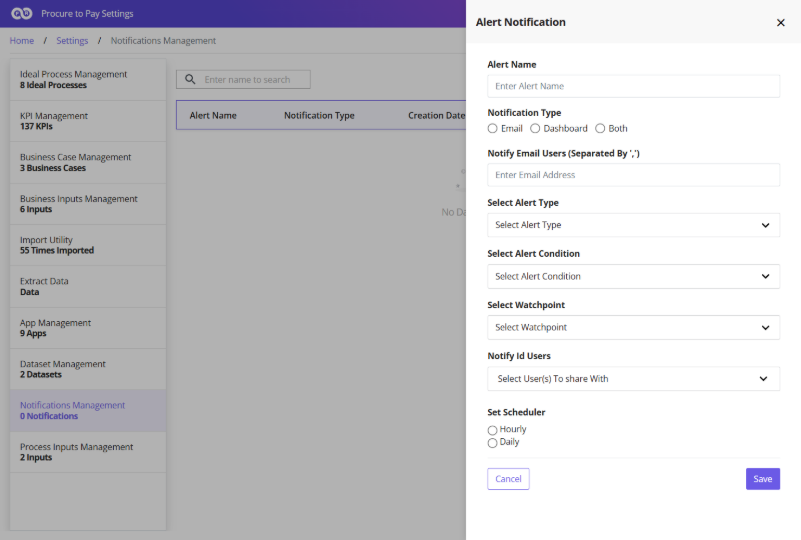
Creating an Alert
To create a new alert:
Click Create.
Enter an Alert Name.
Select Email as the Notification Type.
Enter recipient email addresses (use commas for multiple addresses).
Multiple email addresses can be entered using commas.
Configuring Alert Settings
If a required activity doesn’t exist in the event log, create a Custom Event:
Alert Type: Warning or Critical
Alert Condition: Triggers on Control Value, Threshold Value, or Both
Watchpoint: Select the Watchpoint to monitor
Scheduling Alerts
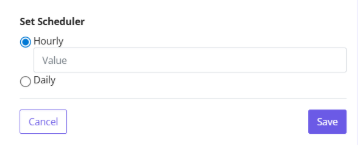
Configure evaluation frequency:
Schedule
Example
Daily
Daily + Frequency = 1 → every day; Frequency = 2 → every two days
Weekly
Once per week
Monthly
Once per month
Publishing Alerts
Click Save, then enable the Publish toggle. The alert becomes active and notifications are sent per the configured schedule. Disable the toggle to stop notifications.