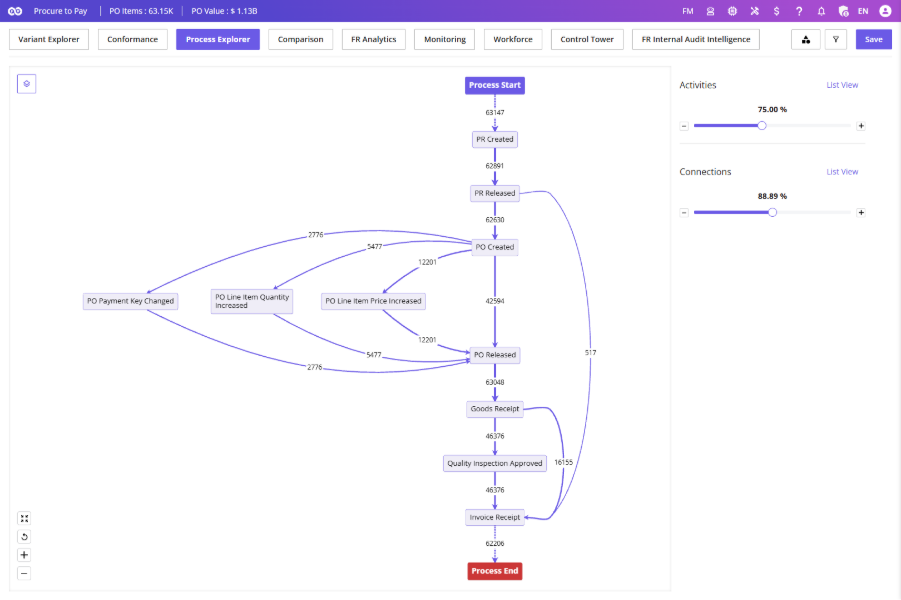
The Process Explorer helps you visualize and analyze your organization’s process by controlling the level of detail displayed on the Process Map.
Access via the Process Explorer tab next to Conformance. The screen consists of a Process Map and an Activities & Connections Panel.
Activities & Connections
Activities – Use the + and − buttons to increase or decrease the number of activities displayed.
Connections – Use the + and − buttons to increase or decrease the number of connectors displayed.
List View – Displays a detailed list of activities and connectors instead of the adjustment sliders.
The Process Map updates automatically as you adjust these values.
Process Metrics
Available from the dropdown next to the Process Explorer tab. Select and display relevant KPIs for analysis. See Section 3.3 – Process Metrics for full details.