Save Analysis
The Save feature allows users to preserve their analysis — including applied filters, selected variants, and configured views — for future access and collaboration.
The Save feature allows users to preserve their analysis, including applied filters, selected variants, and configured views, for future access.
Accessing Save Analysis
The Save button is located next to the Filters button in the top taskbar.
Saving an Analysis
The analysis is stored and can be accessed later from the Quick Links section on the FUTUROOT Main Dashboard.

Steps:
- Click Save.
- Enter a name for the analysis.
- Click Save.
Actions Menu
Once an analysis is saved, the Actions menu becomes available. The Actions menu provides additional collaboration and management options.
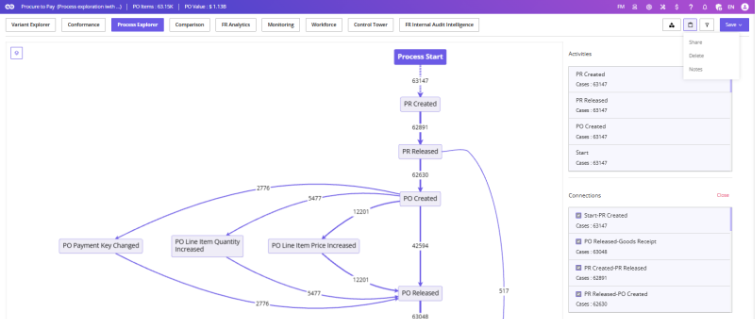
Share
The Share option allows users to share saved analyses with other users.
Shared analyses become available in the recipient’s Shared section on the dashboard.
Delete
The Delete option allows the analysis owner to permanently remove the saved analysis.
Only the owner of the analysis can perform this action.
Notes
The Notes feature allows users to add comments, observations, and findings related to the analysis.
Notes can be viewed and updated by:
- The analysis owner
- Users with whom the analysis has been shared
This feature is particularly useful for collaboration, documentation, and tracking insights discovered during analysis.